
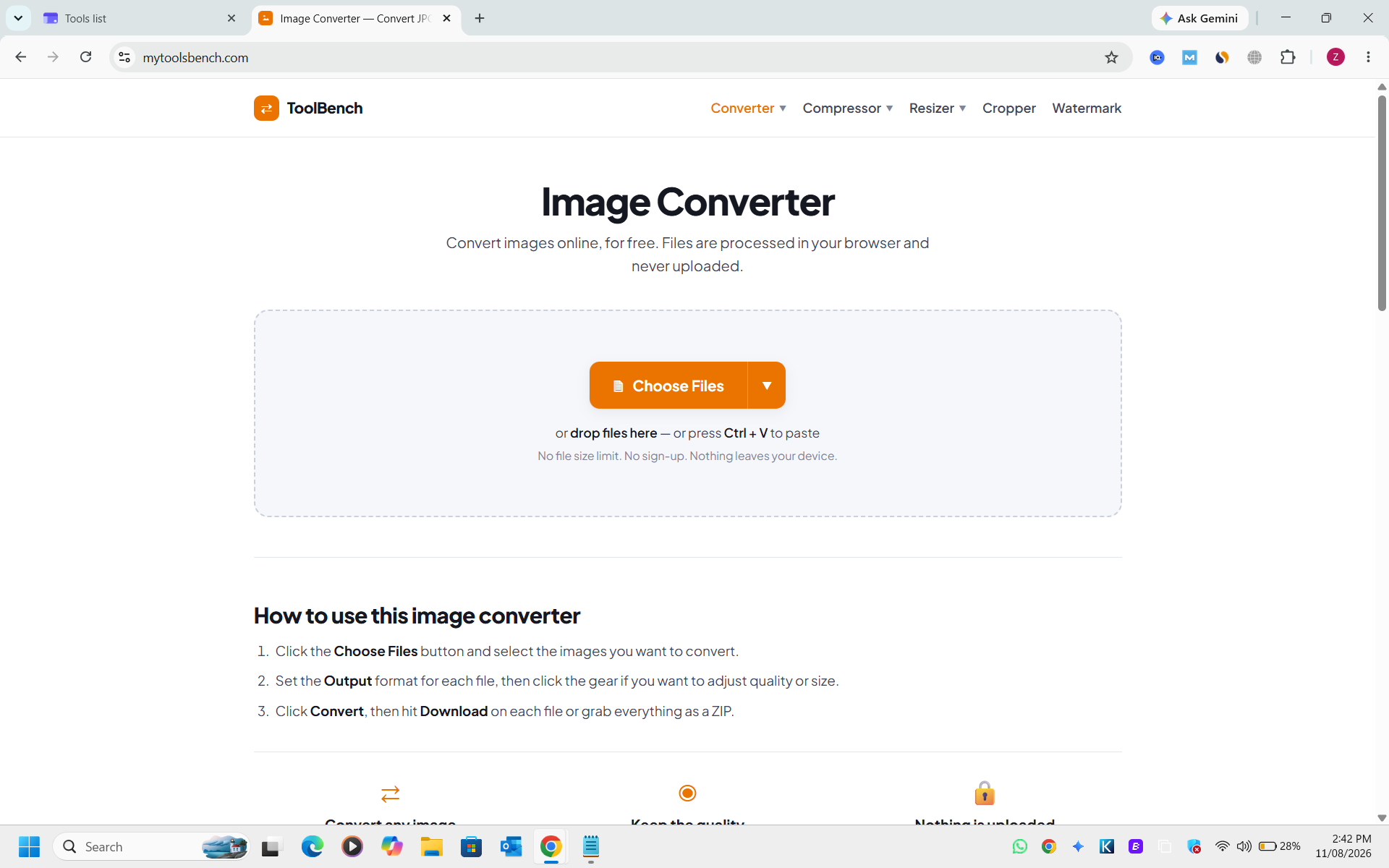
ToolBench Cropper is a free, browser-based image cropping tool designed for quick and secure image adjustments without any uploads or sign-ups. It empowers users to precisely crop images to various shapes and ratios, making it ideal for content creators, social media managers, and anyone needing to prepare images for specific platforms or general web use.
Key Features:
ToolBench Cropper is invaluable for optimizing images for various digital platforms. Users can easily remove distracting elements from photos, cut images to specific aspect ratios required by social media platforms like Instagram (Square, 9:16 for Stories/Reels) or YouTube (16:9 for thumbnails), and create perfectly circular profile pictures with transparent backgrounds. It's also perfect for isolating specific sections of screenshots, removing unwanted borders, or maintaining consistent framing after initial edits. The tool streamlines the workflow for preparing visual content, ensuring images look their best wherever they are displayed.
Pricing Information:
ToolBench Cropper is completely free to use. There are no hidden costs, subscription fees, or requirements for user registration, making it an accessible solution for everyone.
User Experience and Support:
The tool boasts an intuitive user interface, allowing users to easily drag and resize the crop box or select from predefined ratios. Clear instructions guide users through the cropping process, and the batch processing feature efficiently handles multiple images. While direct customer support channels are not explicitly listed, the comprehensive FAQ section and in-browser functionality aim to provide a self-service experience.
Technical Details:
All image processing, including cropping, occurs entirely within the user's web browser utilizing the Canvas API. This client-side execution means that images are never transmitted to a server, ensuring maximum privacy and security for user data.
Pros and Cons:
Pros:
ToolBench Cropper delivers a secure, efficient, and highly user-friendly solution for all your image cropping needs, directly from your browser. Its strong emphasis on privacy, combined with its ease of use and versatile cropping options, makes it an excellent choice for anyone seeking hassle-free image preparation. Explore ToolBench Cropper today for seamless visual content optimization.
Key Features:
- Crop by hand or snap to preset ratios (Square, Circle, 16:9, 9:16, 4:3, 3:2, Freeform).
- Supports popular image formats: JPG, PNG, WebP, GIF, BMP.
- No file size limit and no sign-up required for full functionality.
- Batch processing allows queuing and cropping multiple images sequentially.
- Client-side processing ensures images are never uploaded, enhancing privacy.
- Specialized presets for social media, including a Circle mask for profile pictures.
ToolBench Cropper is invaluable for optimizing images for various digital platforms. Users can easily remove distracting elements from photos, cut images to specific aspect ratios required by social media platforms like Instagram (Square, 9:16 for Stories/Reels) or YouTube (16:9 for thumbnails), and create perfectly circular profile pictures with transparent backgrounds. It's also perfect for isolating specific sections of screenshots, removing unwanted borders, or maintaining consistent framing after initial edits. The tool streamlines the workflow for preparing visual content, ensuring images look their best wherever they are displayed.
Pricing Information:
ToolBench Cropper is completely free to use. There are no hidden costs, subscription fees, or requirements for user registration, making it an accessible solution for everyone.
User Experience and Support:
The tool boasts an intuitive user interface, allowing users to easily drag and resize the crop box or select from predefined ratios. Clear instructions guide users through the cropping process, and the batch processing feature efficiently handles multiple images. While direct customer support channels are not explicitly listed, the comprehensive FAQ section and in-browser functionality aim to provide a self-service experience.
Technical Details:
All image processing, including cropping, occurs entirely within the user's web browser utilizing the Canvas API. This client-side execution means that images are never transmitted to a server, ensuring maximum privacy and security for user data.
Pros and Cons:
Pros:
- Completely free with no sign-up or file size limits.
- Enhanced privacy due to client-side processing (no uploads).
- Supports a wide range of image formats.
- Efficient batch cropping for multiple files.
- User-friendly interface with helpful presets.
- Maintains original image quality (except for JPG re-saves).
- Cropping is a permanent action; undo is only available before closing the tab.
- Lacks advanced image editing features beyond cropping.
- No explicit direct customer support channels mentioned.
ToolBench Cropper delivers a secure, efficient, and highly user-friendly solution for all your image cropping needs, directly from your browser. Its strong emphasis on privacy, combined with its ease of use and versatile cropping options, makes it an excellent choice for anyone seeking hassle-free image preparation. Explore ToolBench Cropper today for seamless visual content optimization.
Comments
Publisher

Launch Date2026-10-05
Platformweb
Pricingfree
Tech Stack
#web
Outbid
View🥇 🥈
🥈 🥉
🥉
Want this spot? Pay what you wantSubmit Your Startup to 100+ Directories | Submitator
Automated startup directory submission service. Get listed on Product Hunt, BetaList, Indie Hackers & 100+ directories for SEO backlinks and DR boost. From $29.
$40
Boost Your Domain Rating — DoFollow Backlinks (DR 30–70) from $30
Raise your Ahrefs Domain Rating with 5 - 50 dofollow backlinks from DR 30–60 sites — from $50, guaranteed to improve your DR or your money back.
$35
DirEasy - The Best Directory Boilerplate with AI | DirEasy
The best directory boilerplate, packed with AI, Listings, Payment, Submission, CMS, Blog, Authentication, Newsletter, SEO and more.
$30