
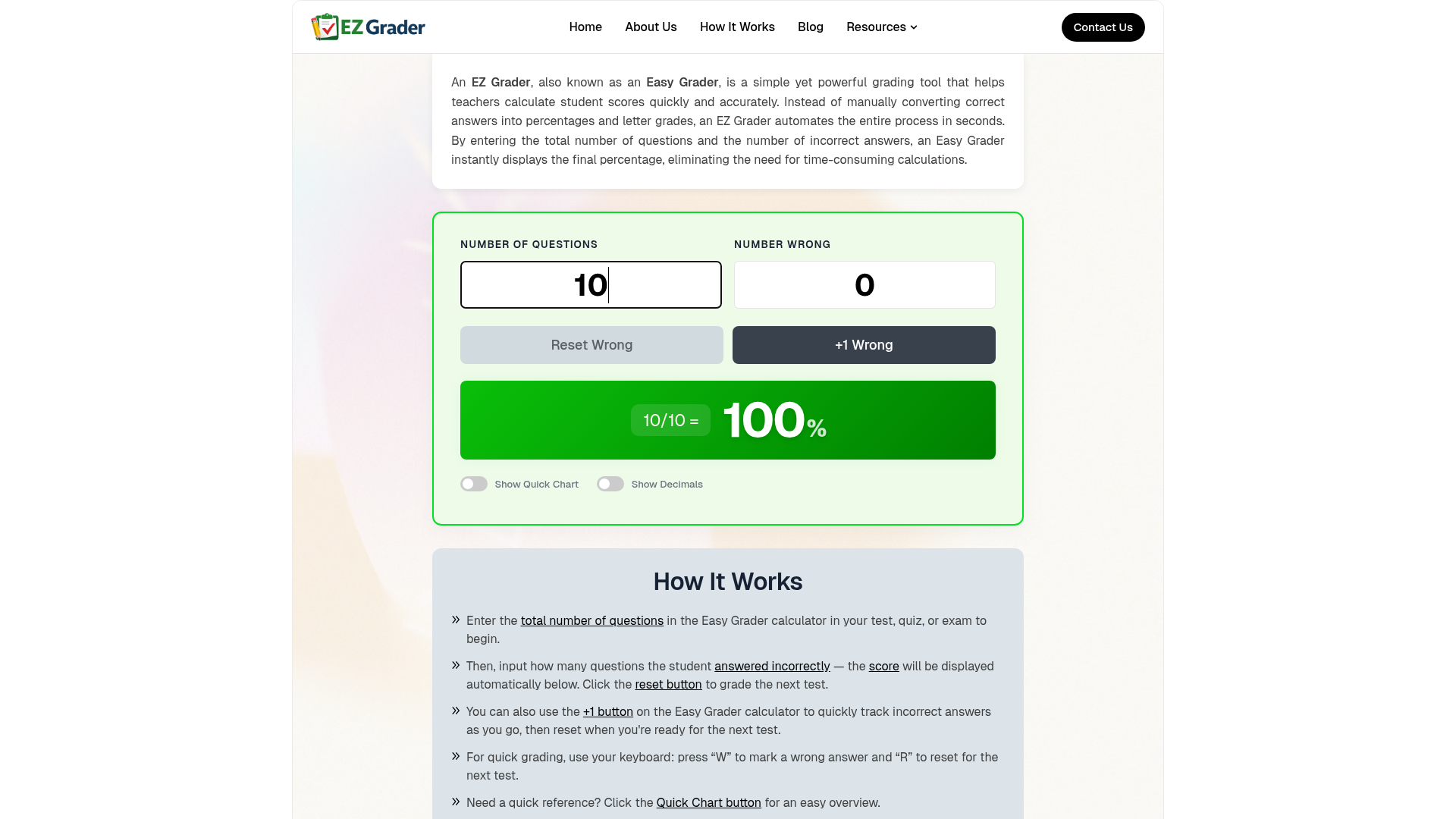
EZ Grader is a simple yet powerful online grading tool designed to help teachers calculate student scores quickly and accurately. It automates the conversion of correct answers into percentages and letter grades, eliminating manual calculations and saving valuable time. This tool is ideal for educators, tutors, and anyone needing to efficiently grade quizzes, tests, and assignments.
Key Features:
Use Cases:
EZ Grader is perfect for teachers managing large classes or multiple subjects, allowing them to streamline the grading process for daily quizzes, mid-term exams, and final assessments. By simply inputting the total number of questions and the number of incorrect answers, educators can instantly retrieve accurate scores, freeing up more time for instruction and student feedback. It also serves as an excellent tool for tutors or parents who need to quickly assess student progress without the hassle of complex formulas.
This tool significantly improves workflow by transforming a time-consuming administrative task into a quick, automated process. It ensures consistency in grading across all students and assessments, making it an indispensable asset for any modern classroom looking to enhance efficiency and reduce stress associated with grading.
Pricing Information:
Many EZ Grader tools, including this one, are available online completely free of charge. They provide essential grading functionality without requiring subscriptions, making them accessible for all educators.
User Experience and Support:
The EZ Grader boasts a highly intuitive and beginner-friendly interface. Users simply enter the total number of questions and incorrect answers to get instant results. It supports keyboard shortcuts (W for wrong, R for reset) for even faster grading. Being an an online tool, it's accessible anytime, anywhere, on various devices. While specific documentation isn't detailed, its simplicity implies minimal need for extensive support.
Technical Details:
The provided information does not specify the underlying programming languages, frameworks, or technologies used for the EZ Grader. It functions as a web-based application accessible through standard browsers.
Pros and Cons:
Conclusion:
The EZ Grader offers an invaluable solution for educators seeking to simplify and accelerate their grading process. Its combination of speed, accuracy, and ease of use allows teachers to reclaim precious time and focus on what truly matters: teaching. Start using EZ Grader today to experience effortless and error-free grading.
Key Features:
- Instant Score Calculation: Automatically converts incorrect answers into percentages.
- Time-Saving: Grade entire stacks of papers in minutes, not hours.
- Accuracy Guaranteed: Eliminates manual calculation errors for reliable results.
- Quick Chart Overview: Provides a full grading table for all possible scores.
- Mobile-Friendly: Accessible on laptops, tablets, and smartphones.
- Beginner-Friendly: Simple interface requiring no prior training.
Use Cases:
EZ Grader is perfect for teachers managing large classes or multiple subjects, allowing them to streamline the grading process for daily quizzes, mid-term exams, and final assessments. By simply inputting the total number of questions and the number of incorrect answers, educators can instantly retrieve accurate scores, freeing up more time for instruction and student feedback. It also serves as an excellent tool for tutors or parents who need to quickly assess student progress without the hassle of complex formulas.
This tool significantly improves workflow by transforming a time-consuming administrative task into a quick, automated process. It ensures consistency in grading across all students and assessments, making it an indispensable asset for any modern classroom looking to enhance efficiency and reduce stress associated with grading.
Pricing Information:
Many EZ Grader tools, including this one, are available online completely free of charge. They provide essential grading functionality without requiring subscriptions, making them accessible for all educators.
User Experience and Support:
The EZ Grader boasts a highly intuitive and beginner-friendly interface. Users simply enter the total number of questions and incorrect answers to get instant results. It supports keyboard shortcuts (W for wrong, R for reset) for even faster grading. Being an an online tool, it's accessible anytime, anywhere, on various devices. While specific documentation isn't detailed, its simplicity implies minimal need for extensive support.
Technical Details:
The provided information does not specify the underlying programming languages, frameworks, or technologies used for the EZ Grader. It functions as a web-based application accessible through standard browsers.
Pros and Cons:
- Pros:
- Significantly reduces grading time.
- Ensures 100% accuracy in calculations.
- Extremely easy to use with no training required.
- Accessible on multiple devices (web, mobile).
- Provides quick reference grading charts.
- Free to use.
- Cons:
- Limited information on advanced customization beyond basic grading scales.
- May not integrate with larger Learning Management Systems (LMS).
- Relies on manual input for each student's score.
Conclusion:
The EZ Grader offers an invaluable solution for educators seeking to simplify and accelerate their grading process. Its combination of speed, accuracy, and ease of use allows teachers to reclaim precious time and focus on what truly matters: teaching. Start using EZ Grader today to experience effortless and error-free grading.
Comments
Publisher
Launch Date2026-06-24
Platformweb
Pricingfree
Tech Stack
#web
Outbid
View🥇 🥈
🥈 🥉
🥉
Want this spot? Pay what you wantBoost Domain Rating - Boost Domain Rating is a platform to discover and upvote the best tech products. Find top products launching daily.
Boost Domain Rating is a platform to discover and upvote the best tech products. Find top products launching daily.
$35
DirEasy - The Best Directory Boilerplate with AI | DirEasy
The best directory boilerplate, packed with AI, Listings, Payment, Submission, CMS, Blog, Authentication, Newsletter, SEO and more.
$30
Quiz Shot - Solve Any Screenshot Question in Seconds.
AI Study Assistant that answers any screenshot question. Get free AI tutor and step-by-step math and homework help with ChatGPT.
$25